Translate

Sunday, December 7, 2014

Try AGENDAWEB.ORG a new ESL website

The address:  
agendaweb.org

It has many ESL topics to study on the computer.

We'll look at some sections in class and see how to use them (it's easy). 

Look at this photo of the home page: 


Find the topic you want to practice. Click on it. 
Here you see Verbs, Vocabulary, Grammar, Songs, Listening and Fairy tales - stories
[Look for "more resources" on lower right of page; click on it.]


Thursday, October 30, 2014

Tuesday, October 28, 2014

Election Day, Tuesday November 3, 2015


*********************************************
1. Are you a U.S. citizen?

2. Are you registered to vote?

3. If you answered "YES" to the above questions, you can vote on Tuesday, Nov. 3rd! 

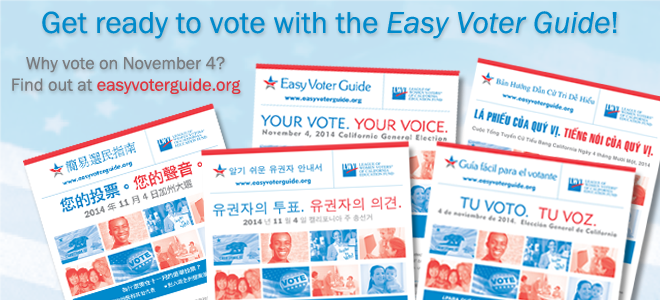
CLICK HERE to see the Easy Voter Guide in English, Chinese and many other languages. You can print it if you like.


See the list of candidates and propositions at one polling place (the teacher's) here.

To get this list for your polling place, click here and fill out the information. Ask the teacher if you have questions.


And don't forget to FALL BACK - turn your clocks back one hour on Sunday, November 1st at 2 a.m. to end Daylight Savings Time. Sleep one more hour.


Wednesday, October 22, 2014

Wednesday, October 8, 2014

Free Wi-Fi in San Francisco and other information

A list (on the back wall) tells where you can get free Wi-Fi (Internet connection) in San Francisco. 

1. Click Here for a paper on how to do this 

2. List and map of free wi-fi in the parks of San Francisco


3. Official San Francisco webpage with information on connecting all kinds of computers and smartphones to wi-fi.


Here are some ESL Memory Vocabulary Games (with sound):

     Farm Animals vocabulary

     Sea animals vocabulary 

     Zoo animals vocabulary 

     Bathroom vocabulary 

     Bedroom vocabulary

Click Here for more difficult spelling games. We'll learn how to play these games in class. 

And here's a classroom game about bedroom vocabulary.


Thursday, September 11, 2014

Literacy Pages and Computer Tutorials

Look at the August 2014 post:

  •      5. Literacy Pages - click here to find many activities for beginning ESL learners.

  •      On the left of the above page, look for Computer Tutorials. Click on this and you will find many activities for learning how to use computers. 
We will practice using these sites in class. 

Any questions, please ask.


NOTE:
For relaxation, and to practice using the mouse, go to Jigzone.com to do jigsaw puzzles. Ask if you don't know how to use this website.

Wednesday, September 3, 2014

How to use websites

September 2014

1. How to use www.eflnet.com
    This website has four areas of English you can practice: grammar, listening, reading and vocabulary
Click on the one you want to study.
Click on grammar and choose:
Adjective and Adverbs (Comparative and superlative adjectives and adverbs, frequency adverbs, so and neither, good and well, and no and not)
General Grammar Exercises (error correction exercises, and other nonspecific grammar exercises)
Nouns (count / noncount nouns, plural nouns, pronunciation of –s / -es, quantifiers, articles, and some other things)
Prepositions (prepositions, and more prepositions)
Pronouns (subject and object pronouns, reflexive pronouns, relative pronouns, indefinite pronouns, and possessive pronouns)
Verb Tenses (verb tenses)
Verbs (gerunds and infinitives, passives, tag questions, and other fun stuff)

Choose Adjective and Adverbs
you will be able to practice:
Adjectives

Now choose what kind of exercise you want and what English level. (Remember, grammar lessons don't usually have sound. You can't listen to them.)
Try it, and please ask questions.

NOTE: You can also practice listening, reading and vocabulary at this website. 

2. Keyboard shortcuts paper in google docs